

UX Note day 08 - Basic components of AI-Assisted app for document processing
Keep the mindset stable, change the others with the mindset's rules.

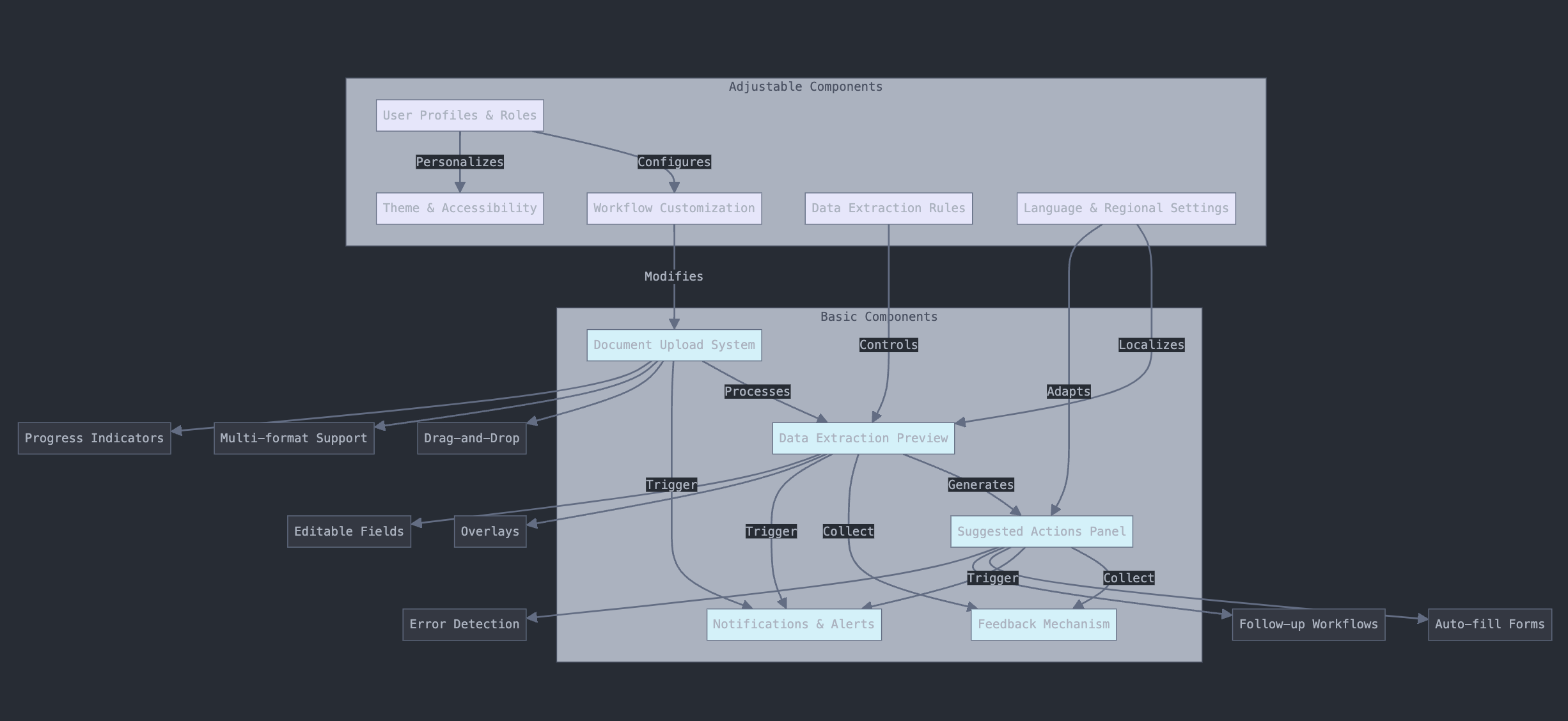
As organizations increasingly adopt AI-powered tools for document processing, designing a user interface (UI) that balances functionality, adaptability, and consistency becomes essential. Here, we outline a general approach to creating a document AI-processing assistant UI by breaking it into three core areas: basic components, adjustable components, and consistent yet flexible elements.
1. Basic Components: The Essentials
These components form the foundation of a functional document AI-processing assistant and must be present in any implementation:
a. Document Upload System
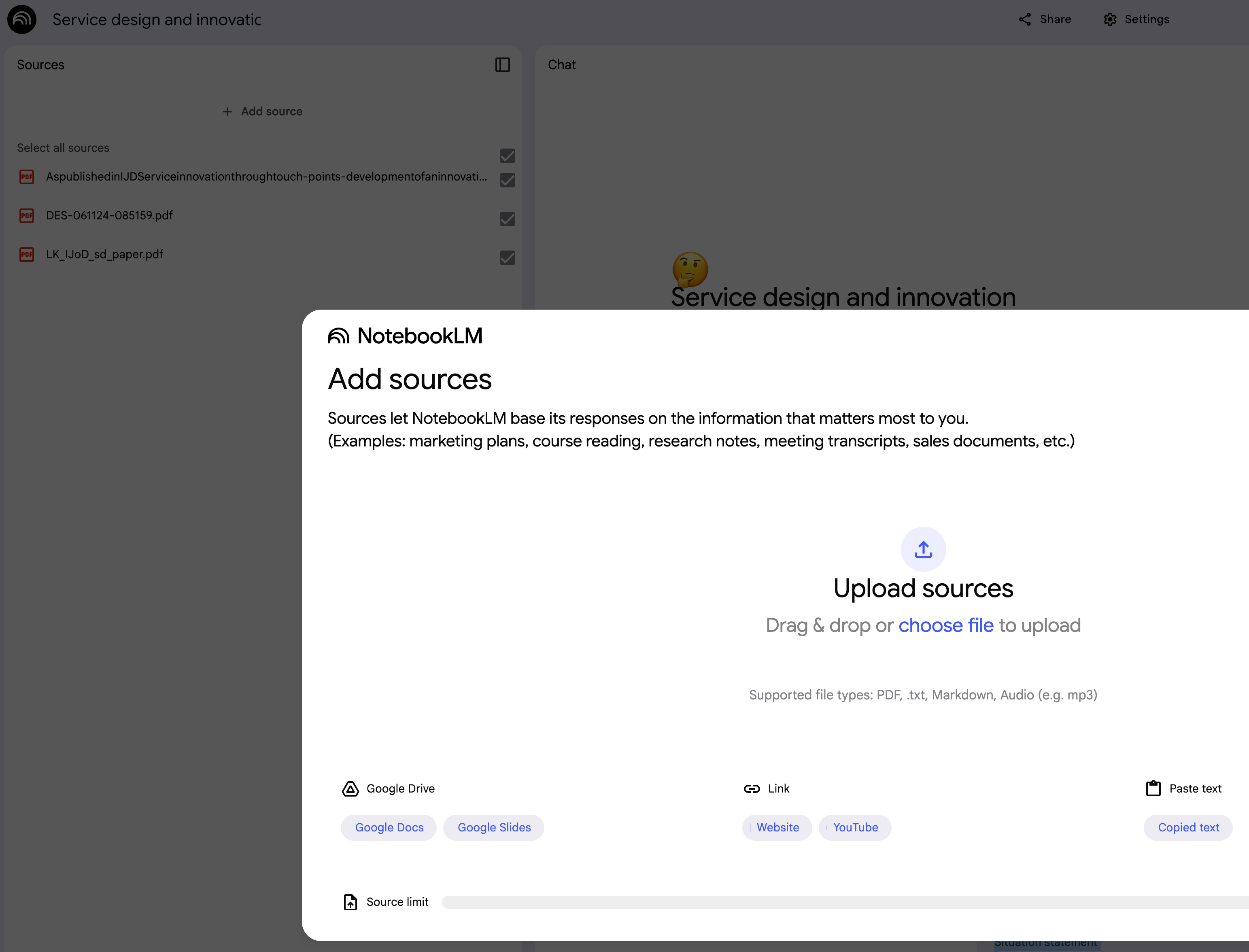
Features:
Drag-and-drop functionality for uploading files.
Support for multiple formats (PDF, images, Word documents).
Progress bars or loading indicators during file processing.
b. Data Extraction Preview
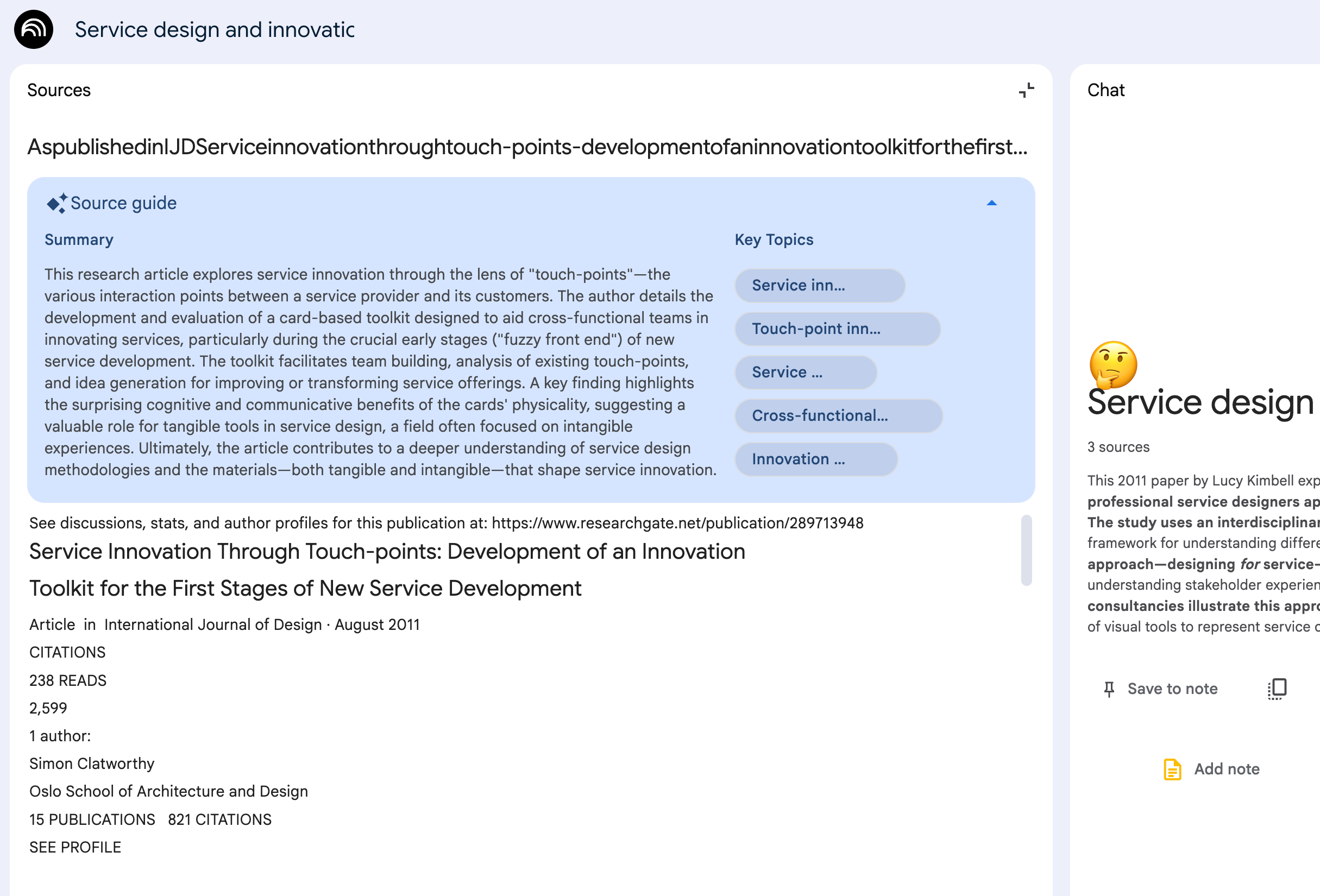
Purpose: Display the text or structured data extracted from the document.
Design Tips:
Use overlays or highlighted sections to show where data is extracted.
Provide editable fields to allow user corrections.
c. Suggested Actions Panel
Purpose: Recommend next steps based on document analysis.
Examples:
Auto-fill related forms.
Trigger follow-up workflows.
Suggest corrections or highlight potential errors.
d. Feedback Mechanism

Features:
Inline options to report errors or provide ratings.
Open-ended text fields for detailed feedback.
e. Notifications and Alerts
Purpose: Keep users informed of the system’s actions and status.
Design Tips:
Categorize notifications (e.g., errors, successes, warnings).
Ensure alerts are non-intrusive but noticeable.
2. Adjustable Components: Customization for Specific Needs
To cater to various use cases and user preferences, include components that can be adjusted or tailored:
a. Workflow Customization
Allow users to configure steps in the document processing workflow.
Examples:
Toggle optional steps (e.g., advanced data validation).
Enable or disable certain AI features (e.g., automatic suggestions).
b. User Profiles and Roles
Tailor the UI experience based on user roles (e.g., admin vs. end-user).
Provide personalized dashboards or frequently used tools.
c. Theme and Accessibility Settings
Include options for:
Dark mode or high-contrast themes.
Adjustable font sizes and button spacing for accessibility.
d. Data Extraction Rules
These rules allow users:
Define custom extraction fields.
Set thresholds for AI confidence levels.
This is an important part because it sticks closely with the Business logic layer.
Any input auto-filled-in of one document can be the outcome from another AI data extractor. → Be sure we inform humans where those data from
Any output of a session can be aligned or shipped to another checkpoint in the operation process. → Be sure having a human check
e. Language and Regional Settings
Enable localization to cater to multilingual or region-specific needs.
3. Open to Change but Consistent: Balancing Flexibility and Stability
Certain design elements should be open to evolution based on feedback or advancements in AI, while maintaining a core consistency to build user trust.
a. Consistent Navigation
Use a predictable layout for navigation:
Sidebar menus for primary actions.
Breadcrumbs to track workflow progress.
b. Unified Visual Language
Ensure consistency in:
Colors and typography.
Iconography for AI actions (e.g., extraction, validation, suggestions).
c. Transparent AI Behavior
Always show:
Confidence levels or reasons for AI actions.
Logs of system activities.
d. Modular Design for Scalability
Use modular UI components that can be easily updated or expanded:
Add new document types without redesigning the entire UI.
Introduce advanced analytics dashboards as extensions.
e. User Feedback Integration
Continuously refine the UI based on:
Usability tests. → this is a tricky part ( will talk in some posts later )
Real-time feedback and analytics.
Active listening to team members ( dog/cat-fooding )
Designing for Today and Tomorrow
Creating a UI for a document AI-processing assistant is a balancing act of offering essential features, providing customization, and building a consistent yet adaptable system. By focusing on these three areas, organizations can ensure that their tool meets immediate needs while remaining flexible for future demands.
PS: This post is based on my knowledge (eKYB, transcript, eKYC projects) + research + from the tools I used. If you find this post missing something, please let me know in the comment. Thank you.